
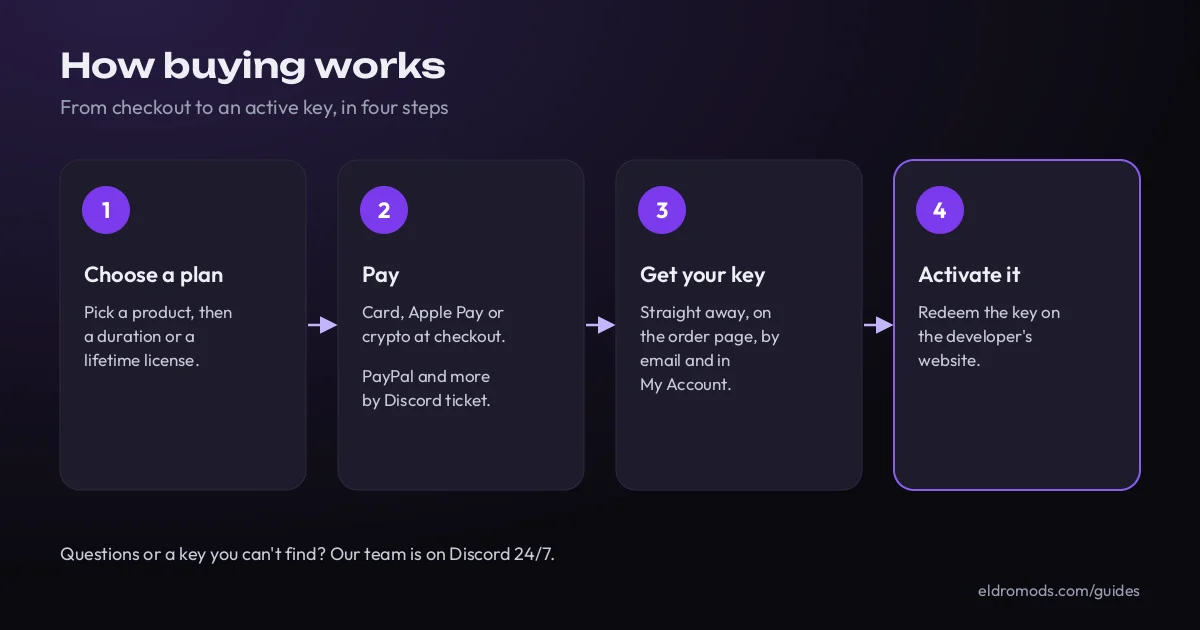
Step 1: choose your product and plan
Each product page lists its plans. Most are sold by duration (for example 1 day, 7 days or 30 days). A plan that shows no duration, like Essential or Standard on some menus, is a lifetime license. “BE” in a plan name stands for BattlEye: that plan is made to run with the BattlEye anti-cheat on.
Before you buy, check three things on the product page:
- The game version it supports. For GTA V, that means Legacy, Enhanced or both.
- What it needs to run, such as the Windows versions supported.
- Its current status, on our Product Status page.
Not sure which one to pick? Our guide to choosing a cheat or mod menu walks you through the questions to ask, our guide to the best GTA 5 mod menus compares every menu we sell for GTA V, and our team answers on Discord.
Step 2: pay
| Payment method | Where you pay | When you get your key |
|---|---|---|
| Credit or debit card | At checkout | Straight away, once the payment is confirmed |
| Apple Pay | At checkout, on devices that support it | Straight away, once the payment is confirmed |
| Crypto (Bitcoin, Ethereum, Litecoin, USDT and more) | At checkout | Automatically, once the network confirms the payment |
| PayPal, Paysafecard and gift cards | In a ticket on our Discord | As soon as our team confirms the payment |
A few things to know:
- You get an account. If you don’t have one yet, it’s created at checkout, so every key you buy stays saved in your account.
- Immediate delivery. At checkout you tick a box to ask for immediate access to your key. You accept that you lose your right to cancel once the key has been delivered (more on this in the refunds section below).
- Paying with crypto for the first time? Read our crypto payment guide first.
- Paying another way? Our docs explain how to pay through a Discord ticket, and all methods are listed on our payment methods page.

Step 3: get your key
Delivery is instant and digital. As soon as your payment is confirmed, your license key is:
- shown on the order confirmation page;
- sent to the email address you used at checkout;
- saved in My Account, under My Licenses.
Can’t see it? Check your spam folder, then My Licenses. Still nothing? Open a ticket on Discord with your order number.
Step 4: activate it with the developer
Your key is redeemed on the developer’s own website (Cherax, Stand, Midnight and so on), not on our store. Most developers ask you to create a free account there first. If your key runs for a set time, the clock starts at this first activation, not at purchase: until then, the key doesn’t expire. From then on, follow the developer’s setup guide, or the product’s page on docs.eldromods.com. Our activation guide explains where to redeem your key.
Refunds: what our policy says
Our Refund and Returns Policy is the reference. In short:
- Refunds need the developer’s approval. We only process a refund after the product’s creator has authorized it, and we may ask them to check the case technically.
- 14 days, unused keys. You can ask for a refund within 14 days of purchase if your license key has not been revealed, redeemed, activated or used.
- Technical incompatibility. If there’s an incompatibility that isn’t stated on our store, you may be eligible within 14 days of purchase.
- Delivered means delivered. A key counts as delivered as soon as it’s on the order page, in your email or in your account, whether or not you open it.
- Key not working? Contact us before using it any further, with your order number and proof. We replace the key or give you store credit first. A money refund is at our discretion, when no replacement can be provided.
- Refund times. Card refunds can take 2 to 14 days. PayPal refunds can take up to 72 hours. Crypto payments can’t be refunded, but they can be exchanged for another product or store credit where the law allows.
- Not refundable: a key that has been revealed, redeemed, activated or used, a change of mind, and orders where a bank, card or PayPal dispute was opened instead of contacting us first. The policy lists a few other cases.
Please talk to us before your bank. Most problems are solved in minutes on Discord. Under our policy, a chargeback or payment dispute on a key that was delivered is treated as a fraudulent claim: the key is deactivated and the account is banned from our store.
Need help?
- Discord: open a ticket on our server. Support is available 24/7.
- Email: [email protected].
- Docs: buying, activation and status pages on docs.eldromods.com.
Browse the shop Open a ticket on Discord
Frequently asked questions
How long does it take to get my key?
It’s instant. Your key appears as soon as your payment is confirmed: on the order page, by email and in My Account. For PayPal, Paysafecard or gift cards through Discord, our team delivers it once the payment is confirmed.
I paid but can’t find my key. What should I do?
Check your spam folder, then My Account under My Licenses. If it isn’t there, open a ticket on our Discord with your order number and we’ll sort it out.
Can I pay with PayPal?
Yes. PayPal, Paysafecard and gift cards are handled by our team through a quick ticket on our Discord. Card, Apple Pay and crypto work directly at checkout.
Do I need an account to buy?
Yes. If you don’t have one, it’s created during checkout. That way every key you buy is saved under My Licenses in your account.
Can I get a refund if a cheat doesn’t work on my PC?
If the incompatibility isn’t stated on our store, you may be eligible within 14 days of purchase, once the developer has authorized it. Contact us before using the key any further. Our first remedy for a key that doesn’t work is a replacement or store credit.
Related guides
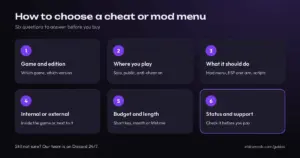
 How to choose a cheat or mod menuSix questions to answer before you buy: your game and edition, where you play, the features you want, internal or external, plan length and status.
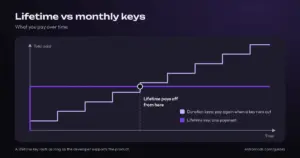
- Lifetime vs monthly keysWhat a lifetime key really means, how duration keys work, how to read our plan names, and when each one pays off, with live prices.
 Best GTA 5 mod menus in 2026Cherax, Stand, Nenyooo, Jupiter and every other GTA 5 mod menu we sell, compared by edition, BattlEye support, license length and price.
 Deutsch
 Français
 Polski
 Español